Google Drive · MEGA · Amazon S3 · Backblaze B2
Copy files between clouds, without downloading them
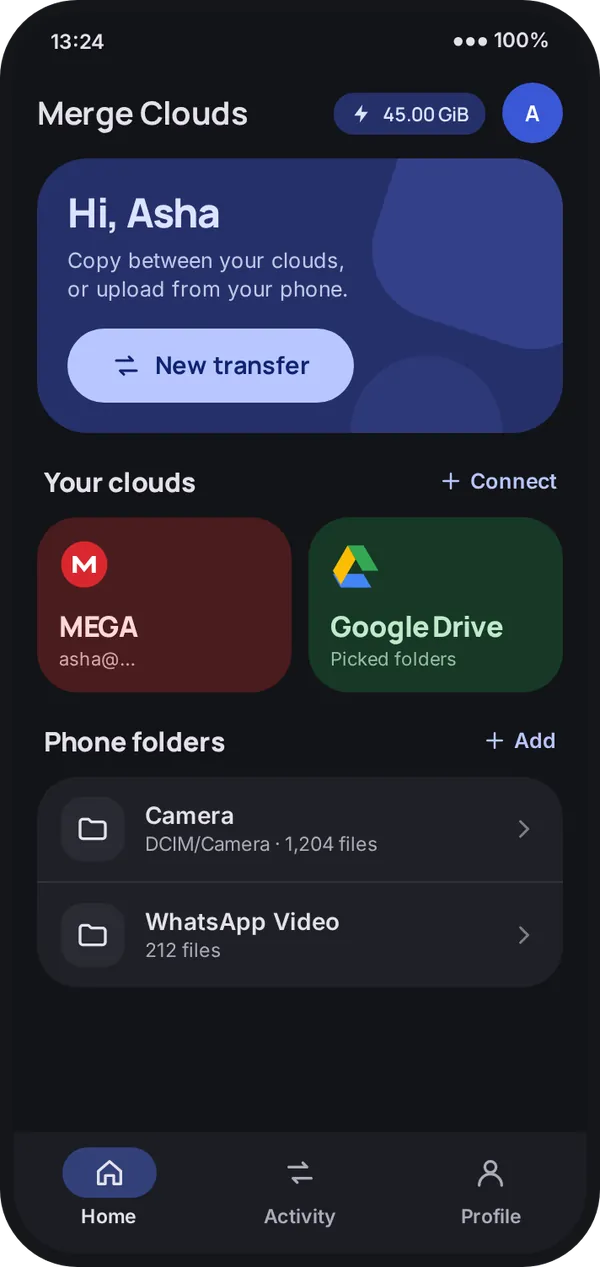
Pick files in one cloud and send them to another. Our servers do the copying, so your phone’s data and storage aren’t used. Get it on Android today.
Merge Clouds is on Android for now. There’s no iPhone app yet. Tell me about other platforms
- 5 GiB free credit for every new account
- No subscription
- No ads
On a computer? Scan with your Android phone to open Google Play.

Works with
- Google Drive
- MEGA
- Amazon S3
- Backblaze B2
- Phone folders
These four, plus folders on your phone. No other clouds for now.
Four taps from “storage full” to “copied”
-
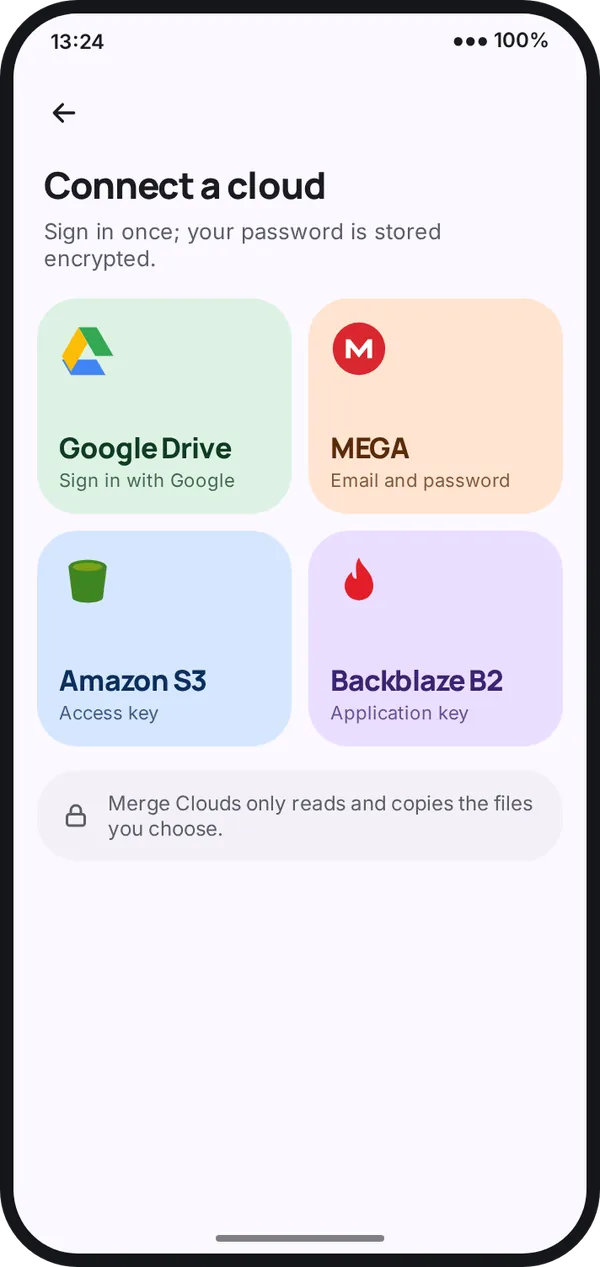
Connect your clouds
Sign in to Google Drive with Google. Add MEGA with your email and password, S3 with access keys, B2 with application keys.
-
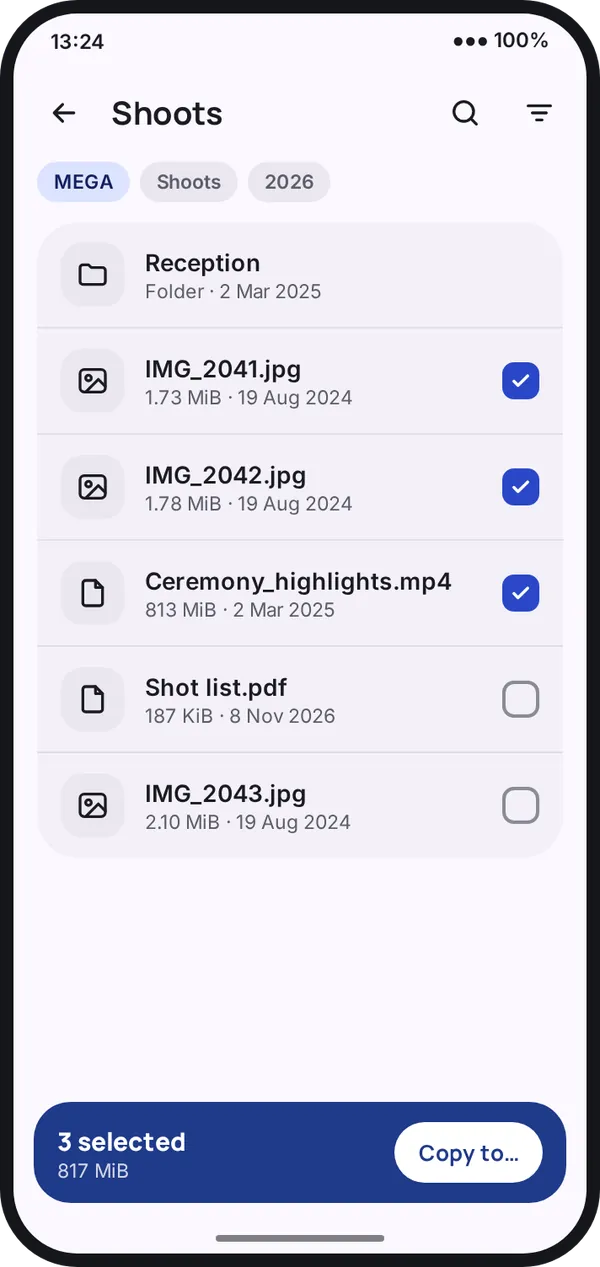
Pick the files and where they go
Choose files in one cloud or a phone folder, then up to 4 destination clouds.
-
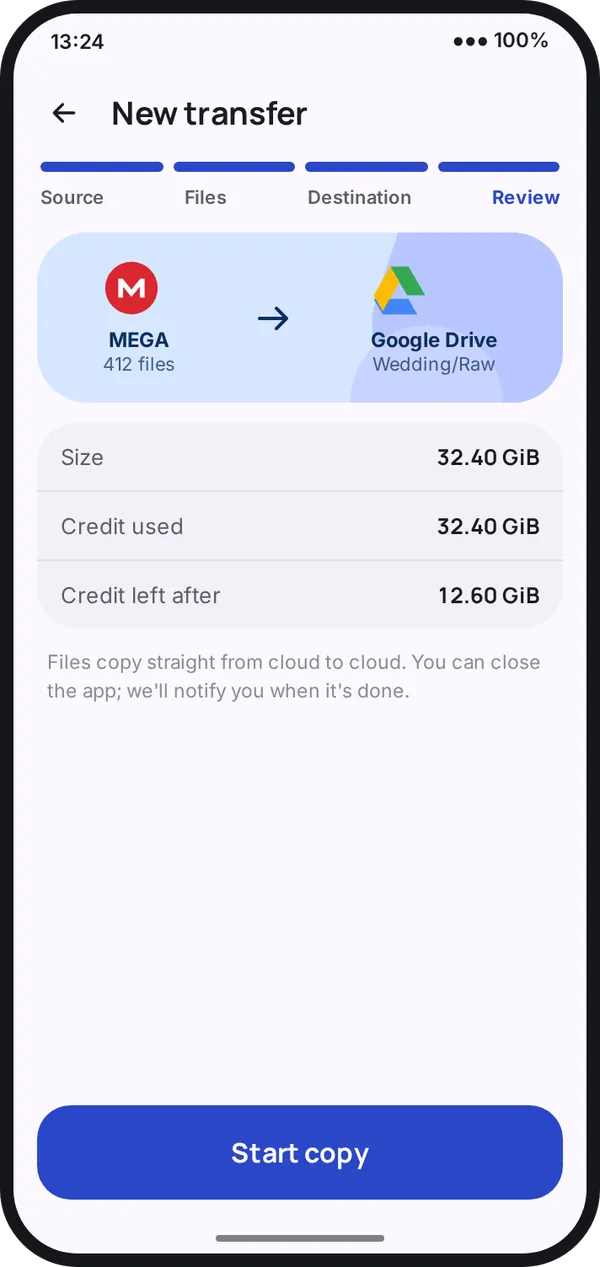
Check the cost, then start
Review shows the exact size and the credit it will use before anything moves.
-
Close the app
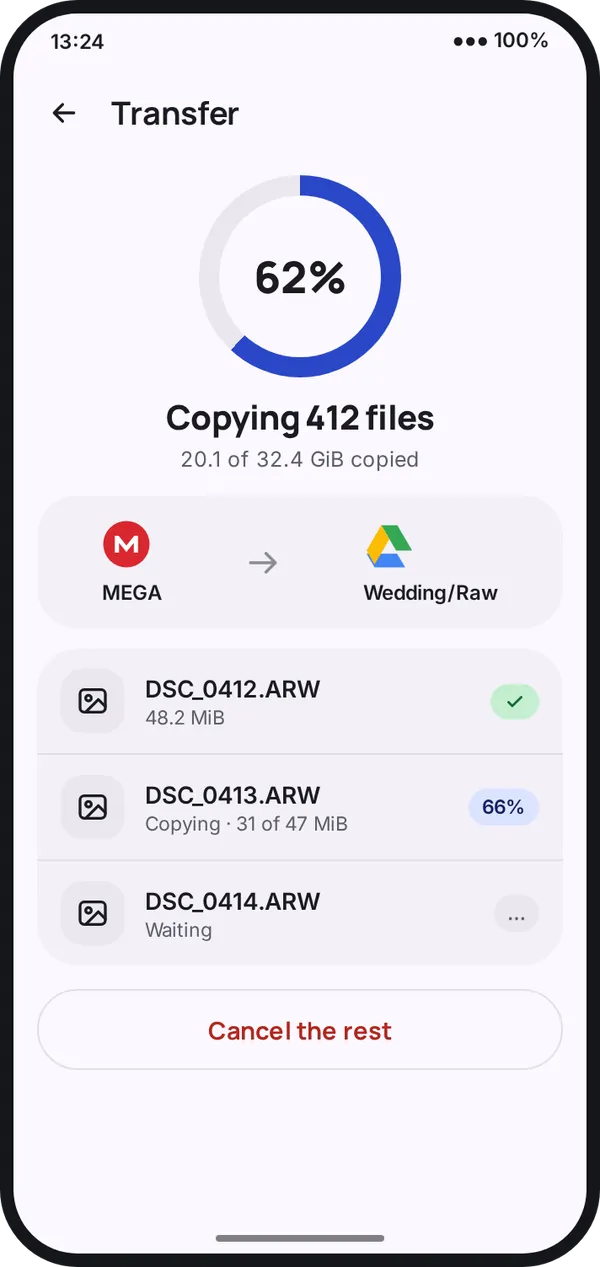
Cloud-to-cloud copies run on our servers. Watch live progress, or wait for the notification. Cancel any time; failed or cancelled files get their credit back.


Uploading from your phone works differentlyIt uses your phone’s internet, the app stays open until it finishes, and each file can be up to 1 GiB. Nothing on your phone is deleted.
What people use it for
-
Google storage full
Copy photos and videos from Drive to MEGA, S3 or B2, without downloading them to your phone first.
-
Moving to a new account
Copy a folder from an old Drive or MEGA account to a new one: old Drive to new Drive, MEGA to Drive.
-
Client and team files
Send one folder to up to 4 clouds in a single transfer.
-
Big photo shoots
Large shoots, cloud to cloud. Copy them between clouds while your phone stays free; the phone just starts it.
-
Phone full of WhatsApp video
Upload WhatsApp Video, Camera or Screenshots to any connected cloud. Nothing on your phone is deleted.
Pay only for what you copy
Credit belongs to your Merge Clouds account. Every new account gets 5 GiB of free credit. 1 GiB of credit copies or uploads 1 GiB of files. Buy more once, when you need it. Credit never expires.
Launch prices until 31 January 2027 (IST)From 1 February 2027, the regular price shown on each pack applies.
- Starter 30 GiB ₹29 ₹0.97 / GiB ₹49 from 1 Feb 2027 One-time · never expires
- Plus 100 GiB ₹99 ₹0.99 / GiB ₹149 from 1 Feb 2027 One-time · never expires
- Pro 500 GiB ₹299 ₹0.60 / GiB ₹399 from 1 Feb 2027 One-time · never expires
- Best value Studio 2 TiB ₹799 ₹0.39 / GiB ₹999 from 1 Feb 2027 2,048 GiB · one-time · never expires
- The review screen shows the exact size and credit before you start. Copying to more than one cloud uses credit for each one: 10 GiB sent to two clouds uses 20 GiB.
- Credit for files that fail, or that you cancel, goes back to your balance automatically.
You buy credit in the app, through Google Play. Prices include any taxes Google Play applies. Google emails your receipt. Within 48 hours, Google Play handles refunds; after that, email support@
 Start with 5 GiB free
What we can see, what we keep
-
Only the Drive files you pick
Our Google sign-in is verified by Google and uses Drive’s limited access. Merge Clouds sees only the files and folders you choose in Google’s picker, and the files it creates. It never lists your whole Drive.
-
Sign-in details stored encrypted
Your MEGA, S3 and B2 sign-in details are stored encrypted on our servers. Everything travels over TLS. For Google Drive you sign in with Google, so we never see your Google password.
-
Your files aren’t kept
Files pass through our servers on their way to the destination and are not stored.
-
No ads, nothing sold
There are no ads in the app, and we don’t sell your data.
-
Leave whenever you like
Disconnect a cloud, remove Google access from your Google account, or delete your Merge Clouds account in the app or at mergeclouds.com/
delete-account .
Good to know before you install
What Merge Clouds doesn’t do today, so nothing surprises you after you install.
- Android only for now. There is no iPhone app, web app, desktop app or command-line tool today.
- Four clouds only. Google Drive, MEGA, Amazon S3 and Backblaze B2. No Dropbox, OneDrive, iCloud or Box.
- No automatic backup or sync. Each copy is one you start.
- It copies; it doesn’t move. Originals stay where they are. Delete them yourself once you’ve checked the copy.
- Phone uploads need the app open, and each file can be up to 1 GiB.
- Google Drive: you pick what it can reach. You choose files and folders in Google’s picker. It can’t browse your whole Drive (that’s the privacy point above).
Made in India by an independent developer
Merge Clouds is built and run by Bhargav Naidu Gedela, an independent developer in India, and published on Google Play as GBN Solutions. There’s no call centre: your email goes to the person who builds the app.
Does copying between clouds use my mobile data?
No. Our servers copy the files from one cloud to the other. Your phone only starts the copy and shows its progress. Uploads from your phone do use your phone’s internet.
Can I close the app during a copy?
Yes, for cloud-to-cloud copies. You’ll get a notification when it’s done. For uploads from your phone, keep the app open until it finishes.
Which clouds does it support?
Google Drive, MEGA, Amazon S3 and Backblaze B2, plus folders on your phone. No others for now.
What can Merge Clouds see in my Google Drive?
Only the files and folders you pick in Google’s file picker, and the files it creates. Google has verified our sign-in, which uses Drive’s limited access.
Do you keep copies of my files?
No. Files pass through our servers on the way to your cloud and are not kept.
How are my cloud logins stored?
Encrypted on our servers. Google Drive uses Google’s own sign-in, so you never give us your Google password. MEGA asks for your email and password, and S3 and B2 for access keys; we store those encrypted to run your copies.
How does credit work?
1 GiB of credit copies or uploads 1 GiB of files. You get 5 GiB free. Packs are one-time payments, credit never expires, and there’s no subscription. Copying to more than one cloud uses credit for each destination. The review screen shows the exact credit before you start.
What if a copy fails or I cancel it?
Files already copied stay where they landed. Credit for files that failed or were cancelled goes back to your balance.
Does a copy delete the original files?
No. A copy never deletes anything from the source cloud, and uploads never delete anything on your phone.
How do I pay, and can I get a refund?
In the app, through Google Play. Within 48 hours of buying, request a refund from Google Play. After that, email support@
Is there an iPhone, web or desktop version?
Not today. Merge Clouds is available only on Android. Your credit belongs to your Merge Clouds account, not to one phone.
Does it back up my phone automatically?
No. Each copy or upload is one you start, and every one is listed in Activity.
How do I delete my account?
In the app, open Profile and tap Delete account, or follow the steps at mergeclouds.com/
Start with 5 GiB free
No subscription. No ads.
Available on Android
Merge Clouds: Cloud Transfer, by GBN Solutions
Scan with your Android phone to open Google Play.
Using iPhone, a computer or the command line? Email us and we’ll tell you if Merge Clouds comes there.